
Different Kinds of Information Need a Different Kind of CMS

Open source content management systems like WordPress are great; they help reduce the cost of development and offer easy to use features out of the box. Sometimes, this simplicity can come at a price when a client’s needs outreach what these systems are capable of doing. Luckily there are solutions for this situation.

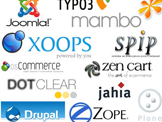
Drupal is a good example of a CMS that offers more flexibility and control over the way content is handled on your site. More often than not, a normal “brochure-style” website, which consists mainly of your standard About, Services and Contact areas fit nicely within a simple CMS like WordPress. When organizations need to provide many different types of content, like directory listings, events and entertainment packages or extensive employee listings that all need to be easy to manage, that is where a more flexible CMS may need to be considered.

Like Drupal, ExpressionEngine is another amazing CMS that gives developers full control over the way your content is organized and handled in the back-end of your CMS. In addition, each type of content can be manage with customized forms so you don’t have to fit all of your information into the “Page Title” and “Content” boxes that most standard CMS’s provide.

This makes managing content and keeping your site up to date, while maintaining a consistent look and feel easier than ever, even if your site is more advanced than others.

Write Fresh Content and Squeeze More Juice from Those Keywords.

Search Engine Optimization (SEO) is a fulcrum for your website marketing presence. When your site is optimized for search engines, you are making your site’s content more readily available to potential clients by putting yourself in the mix in search results.

When you are writing new content or trying to target new keyword phrases, it is common to overdo things a bit by trying to cram too many keywords onto a single page.

You want your keywords to appear in your content naturally because over using keyword phrases can make human readers skeptical of your information. Since search engines are trying to think like humans, they will pick up on this too and you won’t get the maximum value out of your content.

Concentrating your focus is very important for SEO. You want to really drive home your site’s value for specific keywords. By trying to add too many on any single page, you are confusing search engines and diluting the value of each keyword phrase.

If you have a large number of keyword phrases to target, you will need to consider spreading your efforts across multiple pages. Linking to these other pages from the home page will ensure that search engines will pay attention.

Spreading your keywords across multiple pages on your website will also give you an opportunity to add keywords into each URL, enhancing the value of your site for other keywords in addition to giving all of your keywords more emphasis.

You Need SEO To:

  • Drive more traffic to your web site
  • Establish you as an authority in your industry
  • Increase brand awareness
  • Reach a broader market
  • Increase revenues and increase profit centers
So the next time you are writing a new blog post or creating a new page, keep these tips in mind and you’ll be one the right track to future SEO success.

Personalized Search: Google Tells You What You Are Searching For. Is That A Good Thing?

Google first announced Search History in April 2005. By July 2005, Google Personalized Search was linked to My Search History and was monitoring what people selected from search results and refining their search results going forward based on their past searches.

Now with the most recent iteration of Web History, Personalized Search is working in the background even if you are not signed in to one of your Google accounts like Gmail.

Continue reading

What Are Back Links and Why You Need Them

Once your site is live and your pages are optimized, how can you work towards increasing your search results page ranking going forward?

Most people think that once their site is up, they don’t have to do anything in order to compete for their desired keywords. It is actually the opposite — increasing your ranking is like a marathon race to the finish line, or in your case, to the first page.

Your site needs to always appear fresh and active to both search engines and visitors. This means regular content updates to your blog or other pages, integrating social media, and a range of other SEO tactics. But once things are in place and you are blogging every week, what else needs to be done in order to compete for those tougher keywords?

Continue reading

Joomla Web Design Info and Services

As web business owners, we just don?t want our websites to be attention grabbing – we need more than that. We want them to be highly functional, efficient and fast to drive more traffic, more visitors, and more qualified leads. Choosing Joomla web design, you can ensure that you have your internet business website up and functioning optimally propelling your business to the next level.

Continue reading

Lesser Known Advantages of Content Management Systems

Everyone knows by now that if you have a site running on some kind of Content Management System, chances are you can get in there and change content or make updates without having to also contact a developer to get them to do it. What everyone might not know is that there are plenty of other features that are available with a CMS; sometimes they are even built-in from the start!

Content Management Systems for OrganizationWhat if you want more from your website? Traditionally websites are just pages on the web, but with the way things are now, your site ends up being more like your company’s own web application, delivering up-to-date information for visitors and also giving you an opportunity to help manage things internally which can speed up your workflow!

Here’s an example, any CMS worth using will give you an area to manage member accounts, they might not always get their own profile like Facebook or Twitter but what you get is a place online to manage contacts and see how frequently they login to your site. Maybe you need a place where all of your employee’s can access customer phone numbers or contact information on the go, well they can login through a smart phone or tablet and get the information they need and get back to business!

Continue reading

Florida Bar Finally Gets The “Internet” Thing

The Florida Supreme Court is set to adopt rules affecting all Florida attorney websites.

Florida Rules on Attorney WebsitesThe proposed rules recognize that the Internet is the main communications tool that virtually all people use to get information important to them. And contrary to fears of overreaching, the Internet user is an intense researcher who is going to be well prepared on what questions to ask about their matter and which attorney they will hire.

Prior proposed rules included an unworkable pop-up page requiring the website visitor?s name and information before being able to see the rest of the website. The new proposed rules on the other hand are very Internet friendly and join all other industries and businesses who wish to provide consumers with accurate and easy to access information.

Continue reading

Phone Call Messages: More Like Your Website Than You Know

Business people are busy. So with the need to balance Social Media, emails, and endless online brand messages, it’s amazing to still get telephone messages that just leave a name. I get these not just on voice mail, but even when my assistant takes a message for me and the person refuses to leave a number. “He has my number.” So I have a name to go on and that’s it. And maybe only a first name. Not even a reason for the call. I may remember the time we spoke. I may not. I may have even lost their phone number. The effect of this is to increase the chance that I won’t return the call.

Why not make it easy?

Continue reading

HTML5 – Pros, Cons and Some Lesser Known Points

While a lot of non web designers probably don.t know about HTML5 or why it’s important, web designers have been excited about it for some time. There are plenty of positives that this “new” and revamped language gives us for web design and web development.

    Augmented Reality and Geo Location at Work

  • Offline Support ? There are certain features that come along with HTML5 that allow you to store more offline information (more so than cookies / cache) which is a huge plus for mobile application developers. This will allow useful applications to continue to function even when there is no available internet connection.
  • Canvas and Video ? These features make it easier than ever before to add images (not really too big of an issue before) and video (big issue before) to a web page and make it cross browser and mobile compatible.
  • GeoLocation API ? It isn’t really part of HTML5 but since HTML5 is associated mainly with mobile device use, GeoLocation goes along with this discussion quite nicely. Developers can now more easily integrate user-specific location based information into an app and do things like that “cool” augmented reality stuff people have been talking about. That’s how it’s possible to point your iPhone or Android device at a street and have it tell you where the closest coffee shop is (ever wondered why your iPhone asks to use your “Current Location”?).
  • Advanced Forms ? Now your mobile browser can handle some of the background stuff that is required to make sure information that you enter in an online form is accurate (form validators) instead of having to run additional scripts to do it. This really will speed up load times and increase that user experience stuff.

?

Continue reading